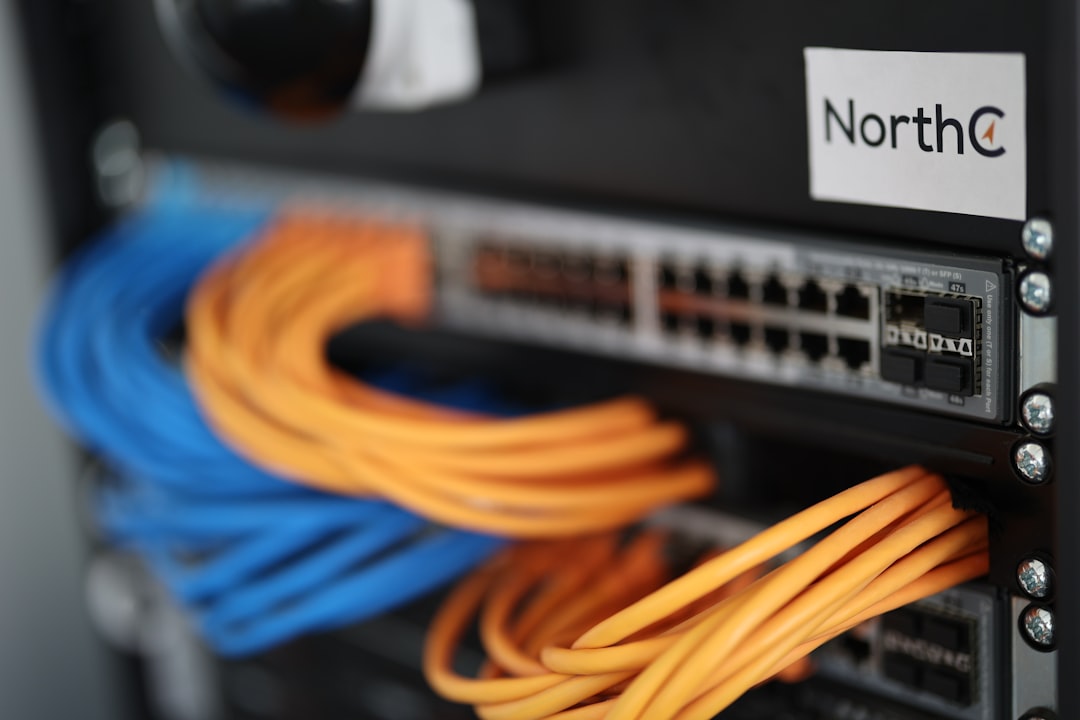
The Model Context Protocol (MCP) Explained: How AI Agents Connect to Everything
The Era of Connected Intelligence
For the past few years, the AI industry has been trapped in a paradox: we have models that are incredibly smart, yet they are largely isolated. Large Language Models (LLMs) operate best when they have access to relevant, real-time data from our local files, databases, and enterprise software. Historically, connecting these models to disparate systems required building custom integrations for every single platform—a messy, expensive, and non-scalable endeavor. Enter the Model Context Protocol (MCP), an open-standard initiative designed to change the way AI agents interact with the world.
What is the Model Context Protocol?
The Model Context Protocol is an open standard that enables developers to build secure, two-way connections between AI-powered assistants and various data sources or tools. Think of it as the USB-C port for the AI ecosystem. Before USB-C, we had a chaotic array of proprietary cables for every peripheral. MCP provides a similar universal interface, allowing an AI agent to plug into a database, a file system, or a project management tool without needing a bespoke adapter for each.
By standardizing how context is shared, MCP allows developers to create a 'server' that exposes data and tools to any 'client' (the AI application) that supports the protocol. This decoupling is revolutionary because it means you build your connector once and use it everywhere.
The Core Components of MCP
To understand why this is a game-changer for enterprise AI, we need to look at the three primary pillars of the protocol:
- Prompts: These are reusable, templated instructions that help the AI understand how to interact with a specific data source.
- Resources: These act as data streams. They allow the AI to read files, query databases, or pull logs from external systems.
- Tools: These are executable functions. Unlike resources, which are read-only, tools allow the AI to perform actions, such as 'create a Jira ticket,' 'send an email,' or 'update a row in a SQL database.'
Why MCP is a Paradigm Shift
The current state of AI integration is fragmented. Every AI platform has its own proprietary way of connecting to data. If you build a connector for ChatGPT, it won't work with Claude or a local Llama model. MCP solves this by creating a vendor-neutral standard. This is critical for several reasons:
1. Interoperability
With MCP, an organization can maintain a single library of MCP servers. Whether you are using a local IDE assistant, a web-based chatbot, or a complex autonomous agent, they can all tap into the same corporate data sources using the same protocol.
2. Security and Control
MCP is designed with local-first and secure-remote principles in mind. It allows organizations to manage access control at the data source level. You don't have to upload your sensitive database to an AI provider's cloud; instead, the AI agent queries the data locally or through a secure, gated MCP gateway.
3. Accelerated Development
For developers at TechAlb and beyond, this means significantly less boilerplate code. You no longer have to write custom wrappers for every API you interact with. If a tool has an MCP server, you simply connect it, and your agent immediately gains the capability to interact with that tool.
A Practical Example: Building an MCP Server
Let's look at how simple it is to get started. Below is a conceptual snippet of how an MCP server defines a tool. In this example, we create a function that allows an AI to perform a basic file operation.
// Example of an MCP Tool Definition
const fileReaderTool = {
  name: 'read_config_file',
  description: 'Reads the local configuration file for the project',
  inputSchema: {
    type: 'object',
    properties: {
      filename: { type: 'string' }
    }
  }
};

// When the AI agent calls this, the server executes the logic
async function handleToolCall(toolName, args) {
  if (toolName === 'read_config_file') {
    return await fs.readFile(args.filename, 'utf-8');
  }
}
This abstraction allows the AI model to focus on the reasoning, while the MCP server handles the 'heavy lifting' of interacting with the file system. The model simply sends a request, and the server translates that request into a system command.
The Future of AI Agents
We are moving from a world of 'chatbots' to a world of 'autonomous agents.' Agents need to be able to browse the web, read your emails, check your calendar, and execute code. Without a protocol like MCP, building an agent that can do all of these things is a nightmare of maintenance. With MCP, agents become modular. You can 'attach' new capabilities to your AI agent as easily as installing a plugin in a web browser.
Challenges and Adoption
While the potential is immense, adoption is still in its early stages. The primary challenge is the network effect—we need more platforms to support the MCP standard. However, the momentum behind the protocol is growing rapidly, with major players in the AI space contributing to the open-source specifications. As more companies release MCP-compliant connectors for common tools like Slack, GitHub, and Salesforce, the ecosystem will become exponentially more valuable.
Conclusion: Getting Started with MCP
The Model Context Protocol is not just another API standard; it is the infrastructure layer for the next generation of AI agents. By decoupling the AI model from the data it consumes, MCP fosters a more flexible, secure, and efficient development environment. For those of us in the tech industry, the message is clear: stop building proprietary integrations that break every time an API changes. Start building for MCP.
We encourage our readers at TechAlb to dive into the official MCP documentation, experiment with building a local server for your internal tools, and see how much cleaner your AI agent architecture becomes. The future of AI is connected, and MCP is the wire that brings it all together.
Key Takeaways
- Universal Standard: MCP replaces fragmented, proprietary integrations with a unified protocol.
- Modularity: AI agents can gain new capabilities by simply connecting to new MCP servers.
- Security-First: By design, MCP allows for granular control over what data an AI agent can access.
- Developer Efficiency: Write once, connect everywhere—standardization reduces maintenance overhead significantly.